Short actions during the day
- Review profiles or search results from a phone.
- Reply to an available conversation without moving to text messaging.
- Upload a photo already stored on the device.
- Check Blog, Chat Room or other listed community activity.
Positive Singles on mobile
The Positive Singles app is available from Apple’s Canadian App Store and Google Play. Use it to discover profiles, talk through private or community conversations and manage photos from a phone or tablet. The download is free, with in-app purchases; some account features require paid access.
Prefer a larger screen? Use Positive Single on the web.
Choose app or web
The account task matters more than the device. A phone is useful for short check-ins; a browser can be easier when you need room to read, compare and review settings carefully.
What you can do in the app
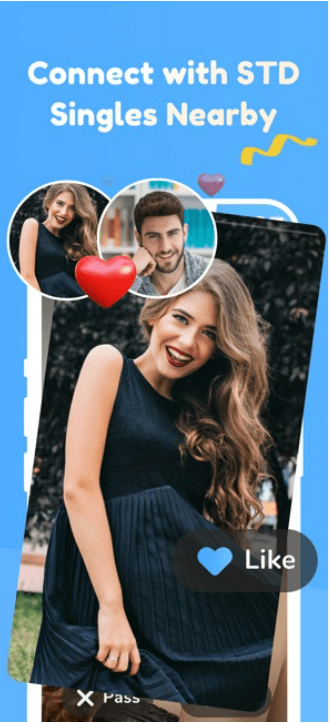
Search by your chosen criteria or use Flame to browse profiles one at a time.
Use private messaging for one-to-one conversations, while Chat Room and Blog provide broader community spaces.
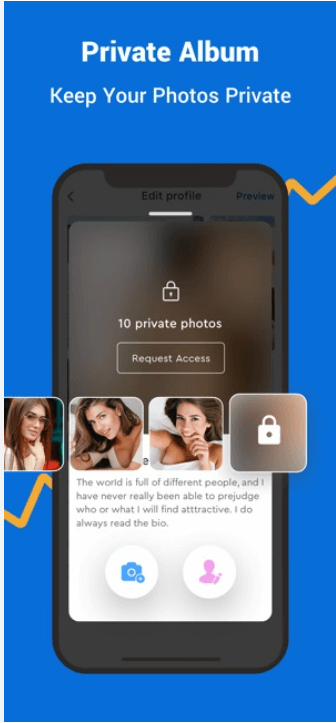
Upload public photos for your profile and keep selected images in a Private Album, where access can be granted or removed for individual members.
Send a wink to show interest. Standard members may reply when a Premium member starts a conversation; starting messages and using additional discovery options can require Premium access.
Account privacy is only one layer
Profile controls cannot stop somebody beside you from seeing an app icon or a lock-screen preview. Review the phone itself as well as the account.
Message text or the app name may appear where another person can see it. Use the phone's notification controls to decide whether previews appear while the device is locked. Exact setting names depend on the operating system.
If family, colleagues or another person use the same phone or tablet, consider whether the web version on a private device is more appropriate. Signing out matters; deleting a recent-app card is not the same as signing out.
Use a screen lock and the recovery tools supplied by the phone platform. If a device is lost, secure the device account and change credentials when needed. A dating-app setting cannot replace ordinary phone security.
Before an image leaves your phone
Look beyond your face. Workplace badges, house numbers, school identifiers, mail, reflected screens and distinctive views can reveal more than the caption does. Crop or choose another image before uploading; do not rely on an album setting to remove clues already visible in the photo.
Public photos are visible to members unless you change their access. Private Album photos are shown only to people you authorize, and that access can be removed later.
A selfie video compares the person completing verification with submitted profile photos. The photo-verification guide explains the steps, common failures and what the badge cannot confirm.
Download, membership and billing are separate decisions
The app is free to download and includes in-app purchases. Prices, currencies, billing periods and available offers can differ between the website, Apple and Google Play.
Install first, then review which communication and search features are available to your account before purchasing.
Before confirming, note whether Apple, Google Play or the website is charging you, along with the currency, renewal period and cancellation instructions.
An Apple or Google Play subscription must be cancelled through that store. Removing a dating profile does not automatically stop store billing.
If you were given a referral code before registering, review the VIP8 entry and checkout checks before choosing a payment channel.
Keep personal contact details private until you decide otherwise
Messaging through the service lets two people talk without immediately exchanging a personal number, email address or social profile. This is separation, not anonymity: the other person still sees the profile and anything shared in the conversation.
Watch for pressure to move off-platform, requests for money and attempts to collect financial or identifying information. Stop the conversation and use available block or report controls when behaviour changes.
Download in Canada
The stores use different titles. Match the listing, developer and platform rather than relying on a copied badge or an old screenshot.
For iPhone and iPad. Review compatibility, privacy information, version history and purchase options in Apple’s Canadian listing.
Download for iPhone & iPadFor supported Android phones and tablets. Google Play shows device availability, update information and its Data safety disclosure.
Get It on Google PlayApp versions, device requirements, ratings and prices can change. Use the Apple or Google Play listing shown on your device for the latest information.
Verification has limits
Photo verification can indicate whether someone resembles submitted profile images. It cannot confirm medical status, intentions, compatibility or safe behaviour offline. Take time with conversation and pay attention to how the person handles boundaries.
Questions left after comparing the options
These are the details people often discover only after installing, changing a permission or starting a store purchase.
Store titles can differ by platform even when the underlying service is the same. Match the live listing by platform, developer and app identifier: Apple uses ID 1419085637, while Android uses the package name com.stddating.positivesingles.
No. Removing an app from a phone does not cancel a store subscription or complete the service's account-deletion process. Cancel through the store that billed you, and manage the profile separately inside the account.
The storefront, country setting, currency and offer shown can change what appears at checkout. Treat the confirmation screen on the device making the purchase as the price and renewal period you are agreeing to.
The action that needs that permission may not work—for example, taking a new photo, choosing an existing image or recording a verification video. A later device-settings change can restore access; there is no reason to grant a broader permission before starting one of those actions.
No. Album access controls who may open the photo; they do not remove a workplace badge, address, reflected screen or other identifying detail already visible in it. Crop those details or choose another image before uploading.
Many phones let you hide notification previews while keeping a basic alert, although the available choices depend on the operating system. Review the phone's notification settings because this privacy control is outside the dating account.
Use the access point that exposes the control you need, then confirm the result inside the account. Store-managed subscriptions still need to be handled through Apple or Google Play even when you normally use the website.
Download or continue on the web
Install from the store used by your phone, or continue on the Positive Single website without installing an app.